Your restaurant menu online, with orders on WhatsApp.
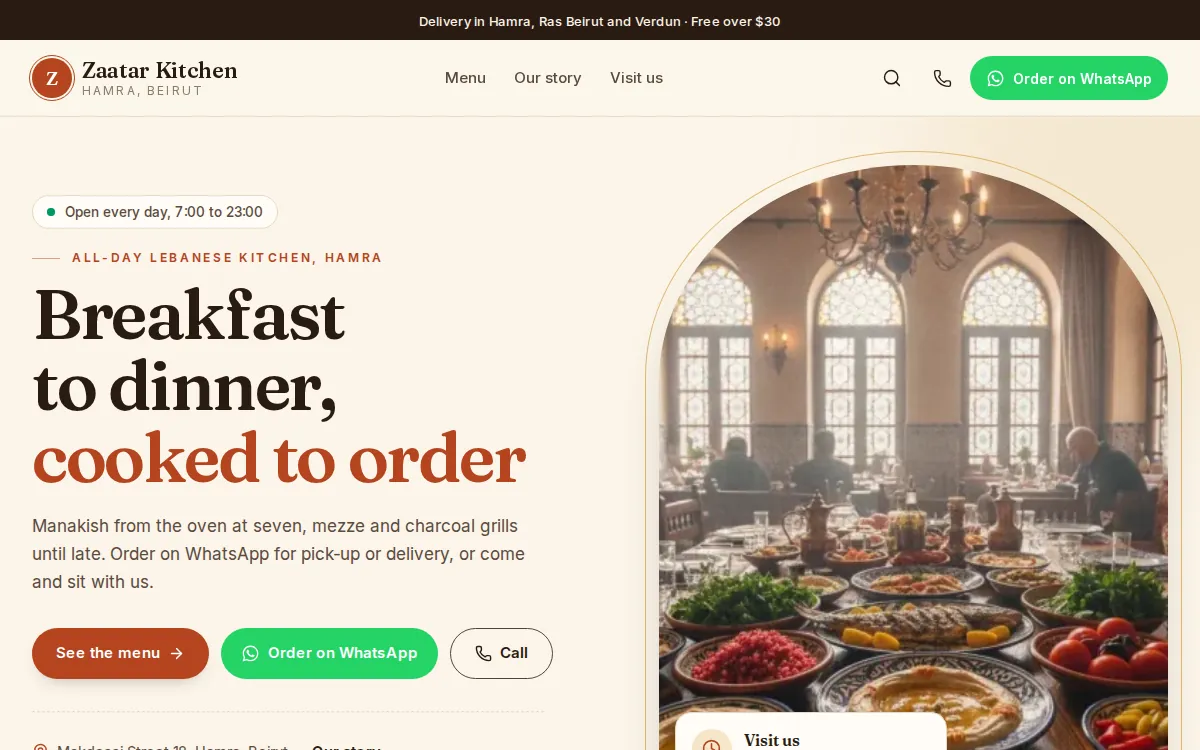
Mahallat puts your menu online as a page of your own: sections like mezze, grills and desserts, a photo and a price for every dish, your hours and your address. Guests tap Order on WhatsApp or Call, and you confirm each order yourself.
What changes for you
Your menu is a PDF that nobody can read on a phone.
A real menu page in sections, made for phones, with a photo for every dish.
Prices change and the old menu keeps going around.
Change a price once in the dashboard and the online menu is right straight away.
Orders by voice note, with no dish names and no address.
Order on WhatsApp opens a chat with the dish already named, so you only confirm the rest.
How do guests order from your menu?
A Menu store starts in catalog mode: there is no cart and no online payment. Orders reach you as messages, and you confirm each one.
A guest opens your menu, jumps to a section and picks a dish.
They tap Order on WhatsApp and a chat with you opens with the dish named. Or they tap Order this and leave a name, a phone number and a message.
Orders sent with the form land in your Inquiries inbox, and you get an email and a phone alert.
You confirm the total, the address and the time on WhatsApp, from your own phone. To keep a record, add it as a manual order in the dashboard.
Mahallat never sends a WhatsApp message by itself. Want a cart, delivery fees and cash on delivery instead? Switch the store to Online shop in Settings, any time.
How WhatsApp works in MahallatWhat you will use every day
Menu sections
Breakfast, mezze, grills, desserts, drinks: each section is a category, with chips to jump between them.
Order on WhatsApp
Every dish has an Order on WhatsApp button with a ready message, and Call is always in reach.
Vegetarian and spicy
Add a Diet or Spice line to a dish and a small mark shows next to it on the menu.
A QR code for your tables
Print a QR code that opens your menu, for tables, the counter and delivery bags.
- Mezze and grills
- Manakish and breakfast
- Coffee and fresh juice
- Burgers and sandwiches
- Catering trays
Questions, answered
Can guests pay online?
Not in catalog mode, which is how a Menu store starts: guests order by message and pay you on delivery or at pick-up. Switch the store to Online shop if you want a cart and a checkout with cash on delivery or Whish.
Can guests book a table?
They ask on WhatsApp or by phone, from the buttons on your menu, and you confirm. Mahallat has no table booking calendar.
Can I show my opening hours?
Yes. Your hours show on your contact page, next to your address with directions and your phone number.
Can I mark a dish as finished for today?
Yes. Set its stock to 0 and the menu marks it Sold out, or hide the dish until it is back.
Read next
Your store, ready by the end of the week.
Start your 14-day free trial, or let us build the store for you. Then from $20 a month, paid by Whish.
No card. No contract. No transaction fees.