Billing
Choose and pay your plan
Your store starts with a 14-day free trial. Before it ends, pick Starter or Pro and pay by Whish to keep selling.
Open this in your dashboard5 steps · Video
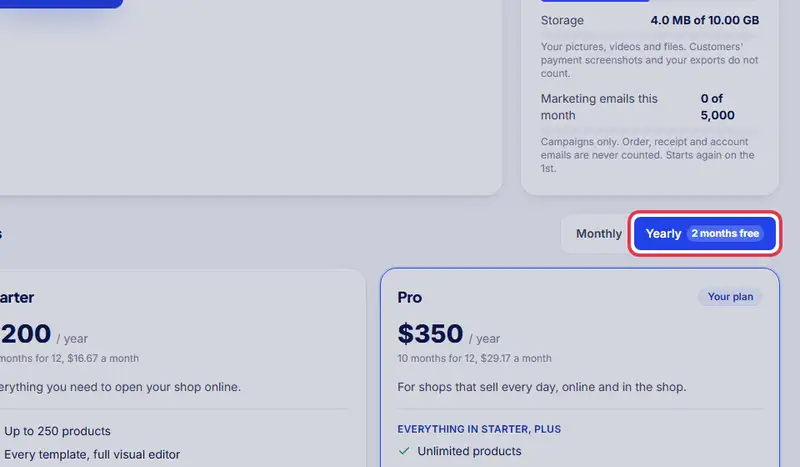
Every new store starts with a 14-day free trial, and no card. Before the trial ends, choose Starter or Pro and pay Mahallat by Whish to keep selling: there is no free plan. You pay monthly or yearly (a year costs 10 months). The prices are on the Billing page.
Watch the video
What the video says
- In this video, you see your plan, choose monthly or yearly, and how you pay Mahallat by Whish.
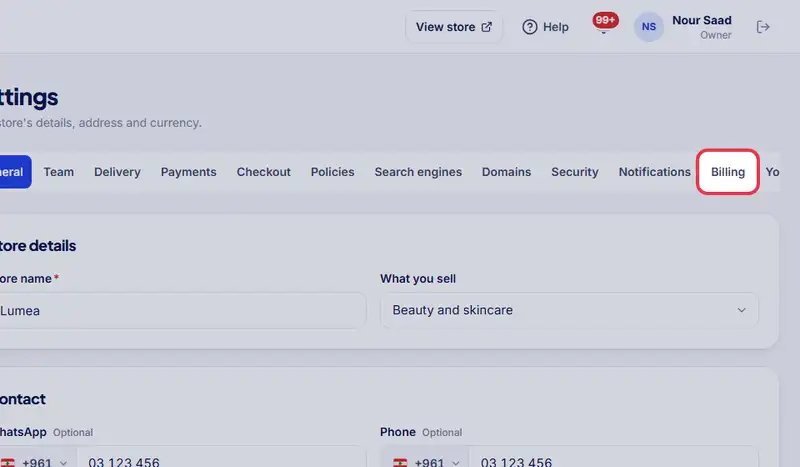
- Open Settings, then the Billing tab. Only the owner sees it.
- At the top, your plan and the day it ends.
- Choose monthly or yearly. A year costs ten months.
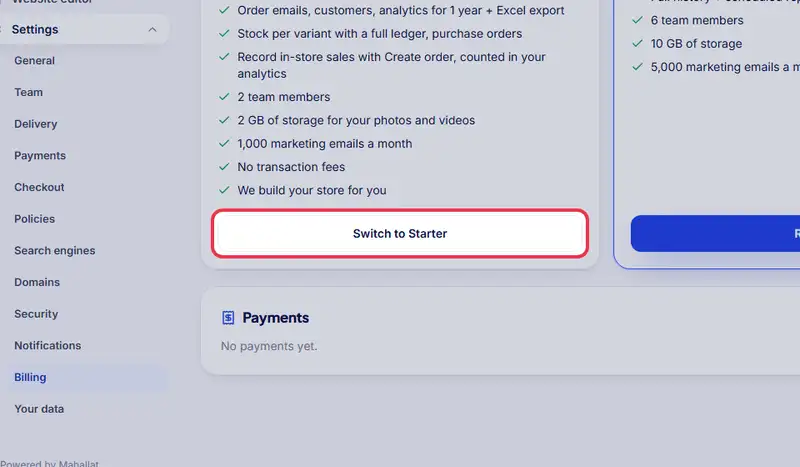
- Tap the button on the plan you want.
- Send the amount shown by Whish to Mahallat's number.
- Then add the screenshot of the transfer, or the Whish reference.
- Tap I paid, send for confirmation. We confirm within a few hours and email your receipt.
Step by step
- Step 1: Open Settings, then the Billing tab. Only the owner sees it. It shows the day your trial ends.
- Step 2: Choose monthly or yearly.
- Step 3: Tap Choose on the plan you want.
- Step 4: Send the amount shown by Whish to Mahallat (+961 76 305 783, name "Mahallat"), then add the screenshot of the transfer or the Whish reference.
- Step 5: Tap I paid, send for confirmation. We confirm within a few hours and email your receipt.