Analytics
Download all your shop's data
One zip with every order, product, customer, stock movement, discount, subscriber, message and your settings, from the first day, and every picture you uploaded if you like.
Open this in your dashboard6 steps · Video
Your shop's data belongs to you. The owner can download all of it in one file whenever they like, for a backup or for an accountant.
Watch the video
What the video says
- In this video, you download everything in your shop as one zip file, for a backup or your accountant.
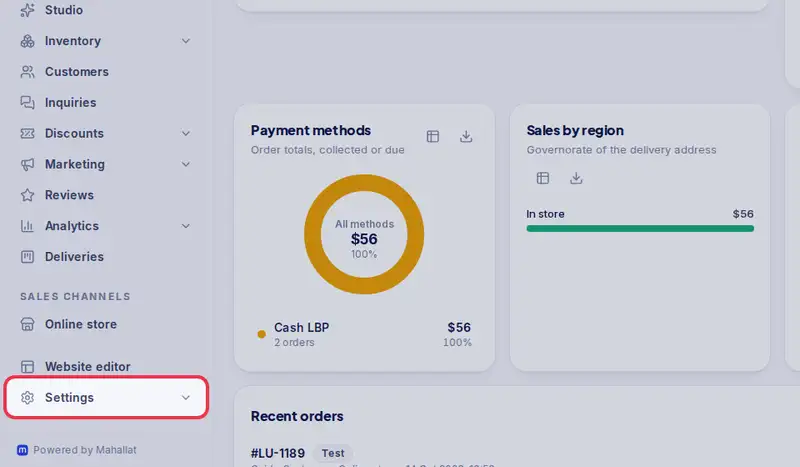
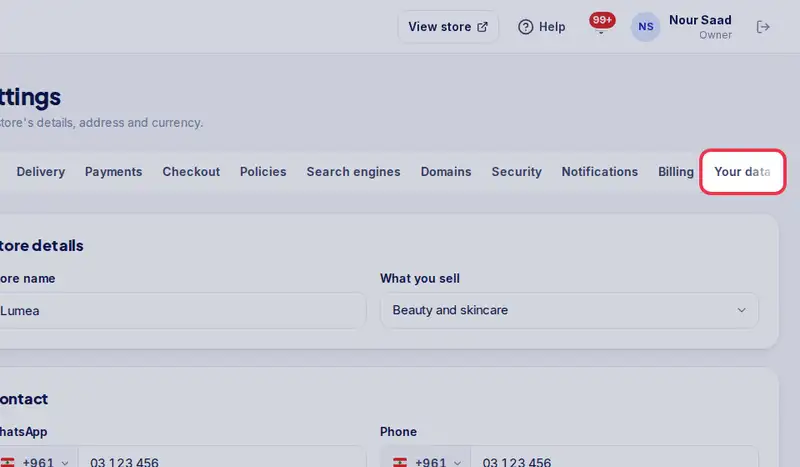
- Open Settings, then the Your data tab.
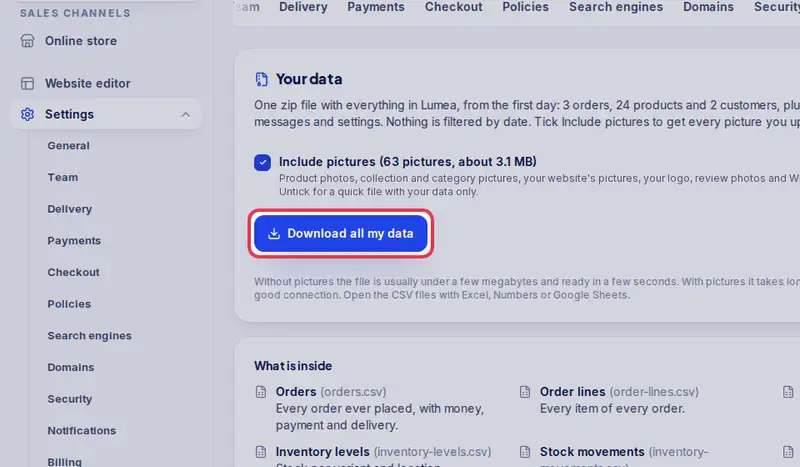
- Include pictures adds every picture you uploaded. Untick it for a quick file with your data only.
- Tap Download all my data, and keep the page open until it is in your downloads.
- Open the zip: each area is its own spreadsheet file, with your settings in one more file.
Step by step
- Step 1: Open Settings.
- Step 2: Tap the Your data tab.
- Step 3: Leave Include pictures ticked to get your pictures too. It shows how many there are and about how big they are before you start. Untick it for a quick file with your data only.
- Step 4: Tap Download all my data and keep the page open until it says the file is in your downloads. Without pictures it takes a few seconds; with pictures you see how many are done.
- Step 5: Open the zip: each area is a CSV file (orders, order lines, products, stock, movements, customers, discounts, subscribers, messages, reviews), and settings.json holds your settings.
- Step 6: With pictures, the images folder has every picture you uploaded, the largest size: product photos in a folder per product (images/products/your-product-handle/1.webp, 2.webp... in the order the product shows them), collection and category pictures, your website's pictures, your logo, review photos and Whish payment proofs. images.csv says which picture belongs to what; its Handle column matches products.csv.