Settings
Close your store
Download everything, then close the store for good. It is deleted 30 days later, and we can open it again until then.
Open this in your dashboard5 steps
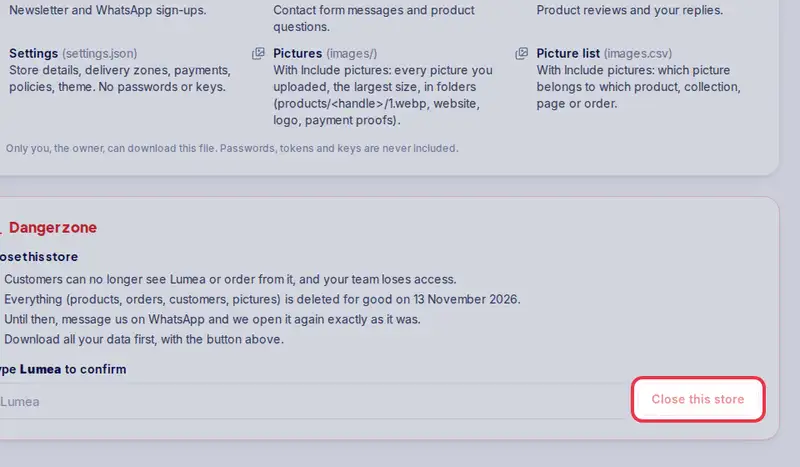
Closing is for good: customers can no longer see your store or order from it, and 30 days later everything in it is deleted. Download your data first.
Step by step
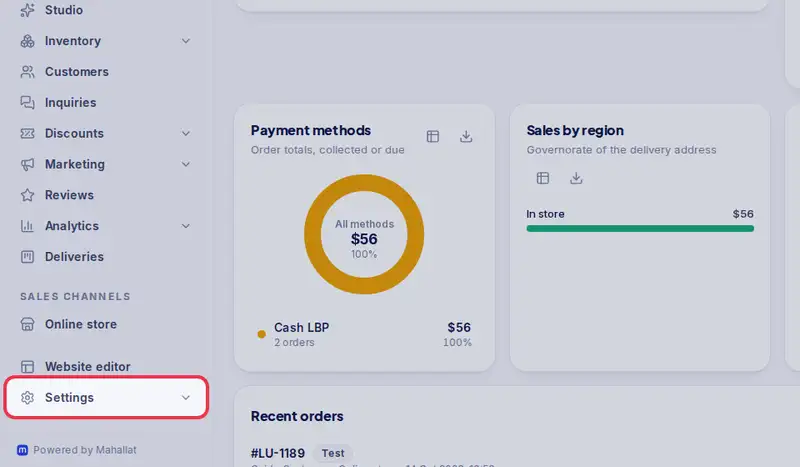
- Step 1: Open Settings.
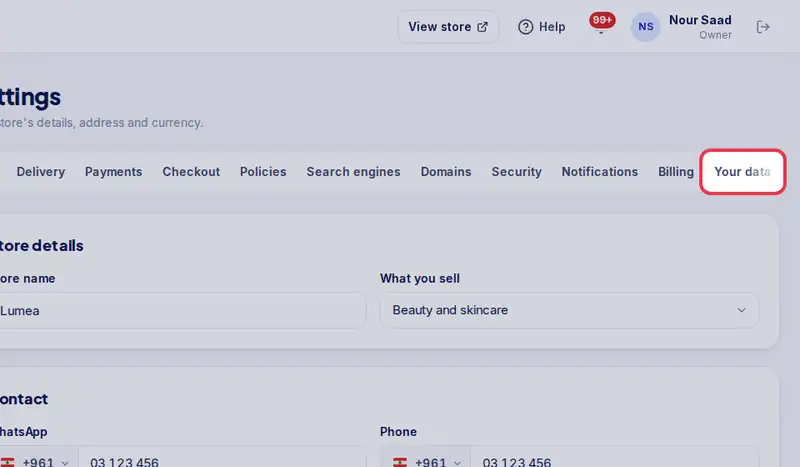
- Step 2: Tap the Your data tab.
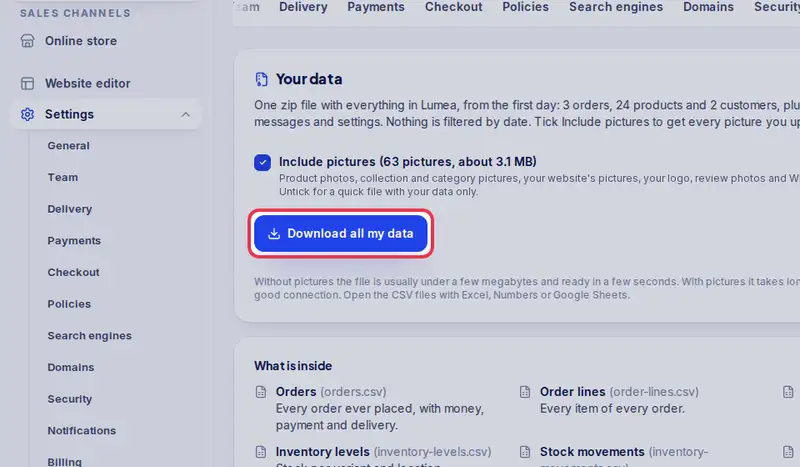
- Step 3: Tap Download all my data and keep the zip somewhere safe.
- Step 4: Scroll down to the Danger zone and type your store's name exactly as it is.
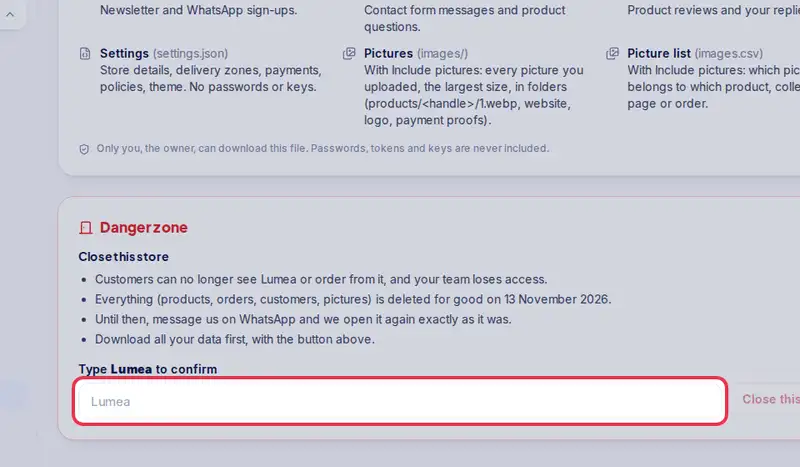
- Step 5: Tap Close this store.