Settings
Invite your team
Give your staff and accountant their own login, with only the screens they need.
Open this in your dashboard6 steps · Video
Each person gets their own login and a role. The role decides what they see: an Admin sees everything except billing, Staff handles orders (including sales made in the shop), products, stock and customers, and an Accountant reads orders and analytics.
Watch the video
What the video says
- In this video, you invite someone to work in your store with their own login and a role.
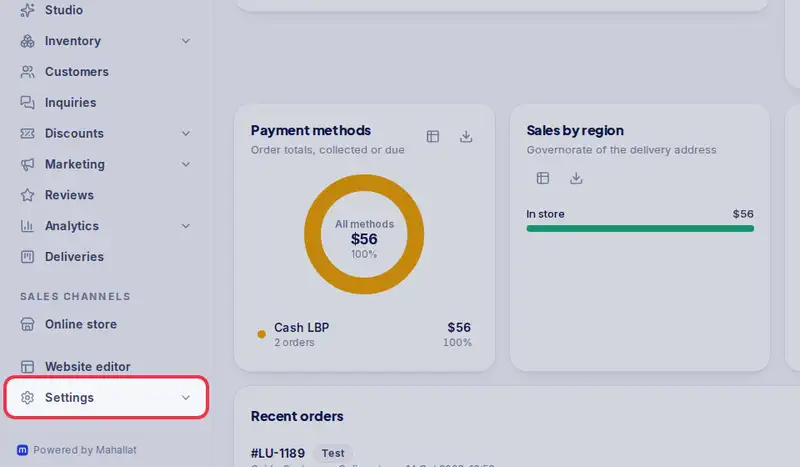
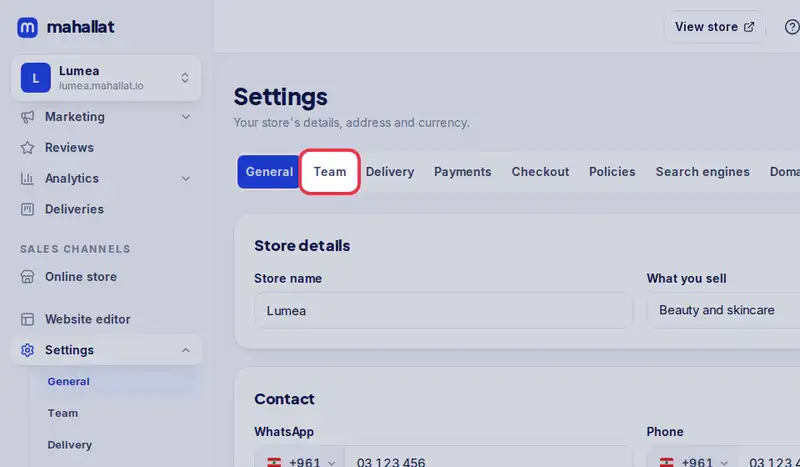
- Open Settings, then the Team tab.
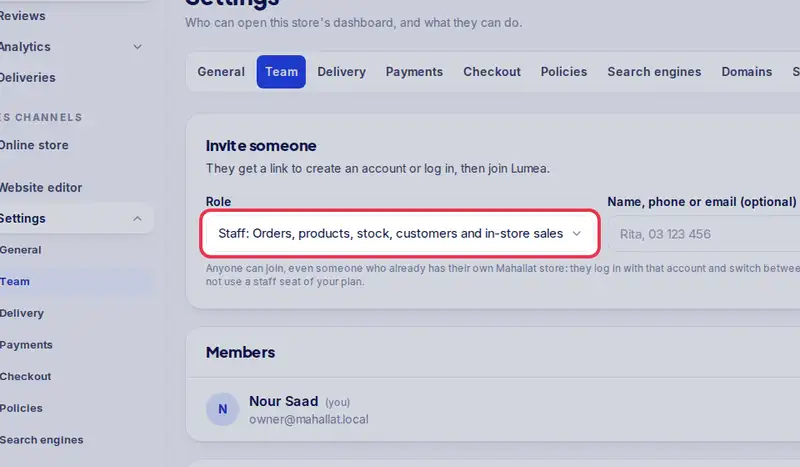
- Under Invite someone, pick the role. Staff handles orders, products, stock and customers.
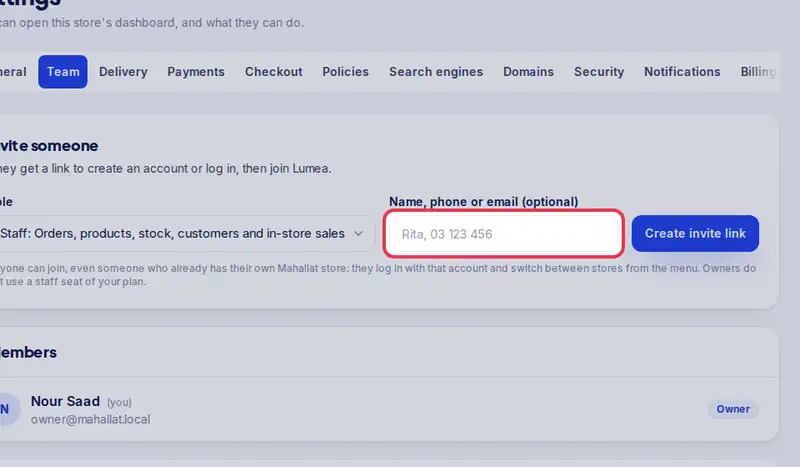
- Type who it is for, so you remember.
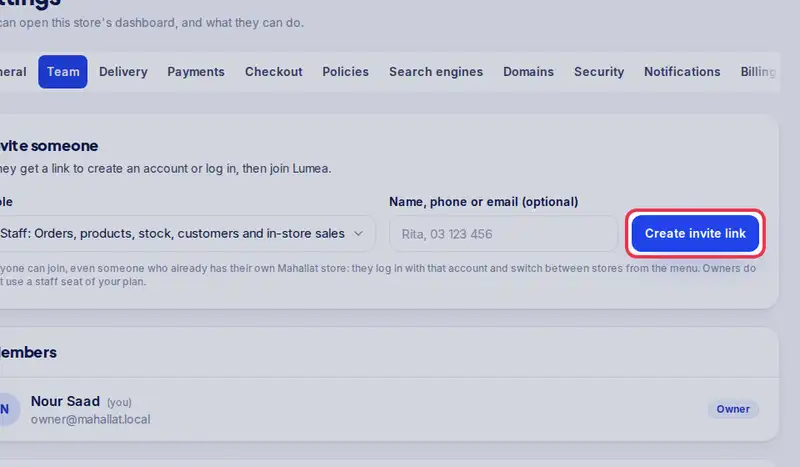
- Tap Create invite link.
- Tap Send on WhatsApp to send them the link, or copy it.
- The link works once and expires in seven days.
Step by step
- Step 1: Open Settings.
- Step 2: Tap the Team tab.
- Step 3: Under Invite someone, pick the Role.
- Step 4: Type their name or phone in Name, phone or email (optional), so you remember who the invite is for.
- Step 5: Tap Create invite link.
- Step 6: Tap Send on WhatsApp to send them the link, or Copy link.