Settings
Set up delivery
Set your delivery zones and fees, free delivery, pickup from the shop and delivery time slots.
Open this in your dashboard8 steps · Video
At checkout, customers pick their governorate and district. The zone that covers it sets the delivery fee.
Watch the video
What the video says
- In this video, you set who delivers your orders, and add a delivery zone with its own fee.
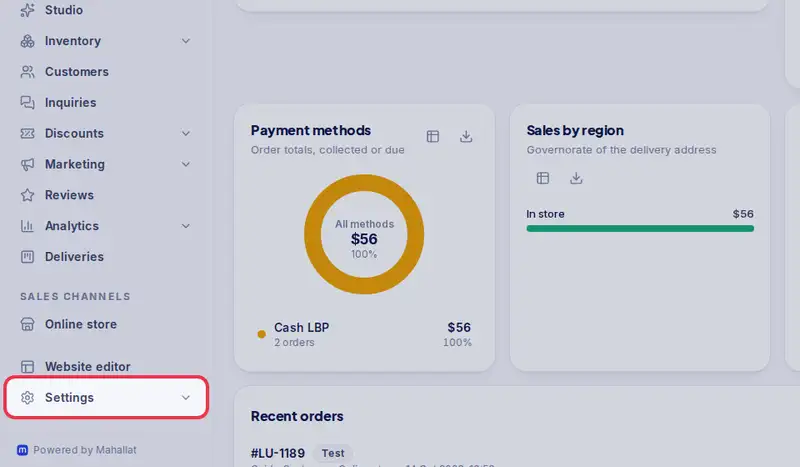
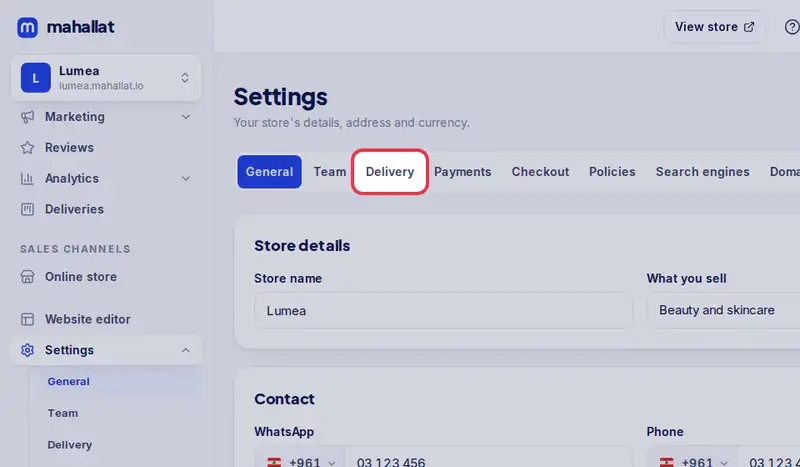
- Open Settings, then the Delivery tab.
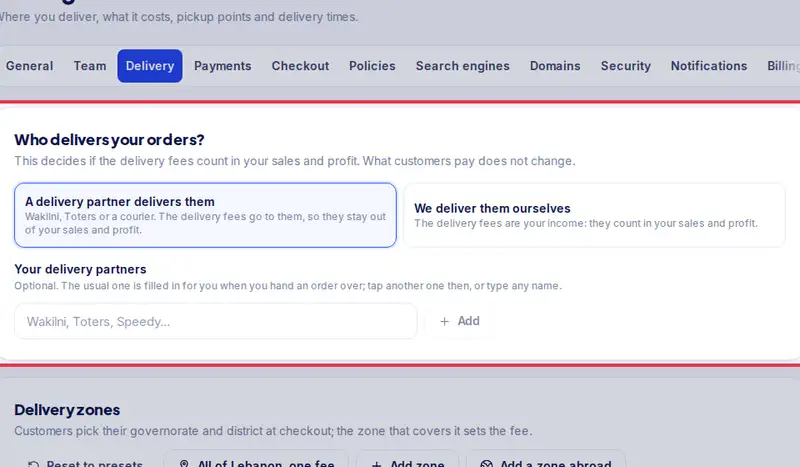
- First, who delivers your orders: a delivery partner, or you yourselves.
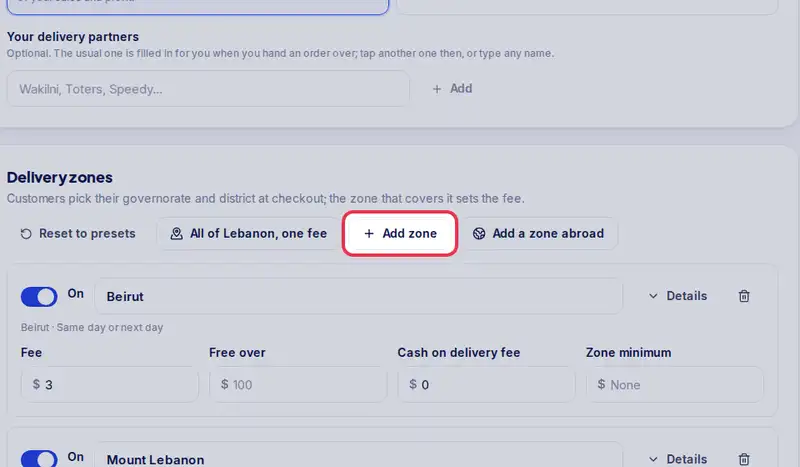
- Under Delivery zones, each zone has its areas and its fee. Tap Add zone.
- Name it, then pick where it delivers. A district wins over its governorate.
- Set the fee, and Free over if you offer free delivery above an amount.
- Tap Save delivery settings.
- At checkout, customers in the Matn now pay this fee.
Step by step
- Step 1: Open Settings.
- Step 2: Tap the Delivery tab.
- Step 3: Under Who delivers your orders?, pick A delivery partner delivers them or We deliver them ourselves. This decides if delivery fees count in your sales and profit (see Who delivers your orders).
- Step 4: Under Delivery zones, change the presets or tap Add zone. Give each zone a name and pick its governorates.
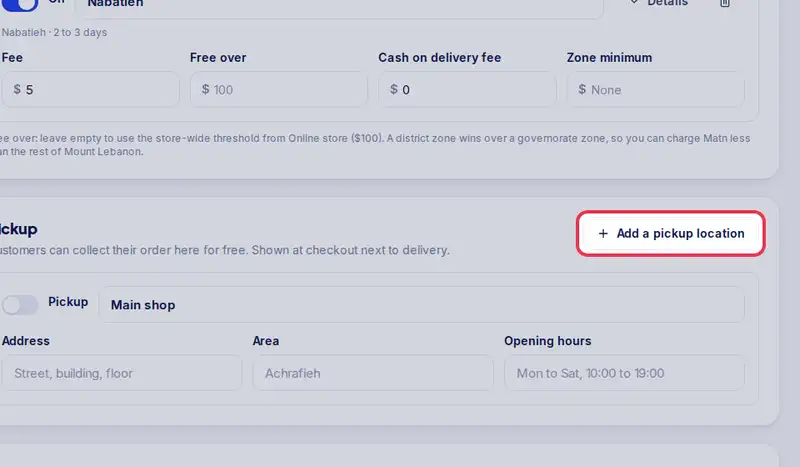
- Step 5: For each zone, set the Fee, Free over (free delivery above this amount) and the Cash on delivery fee if you charge one.
- Step 6: Customers can collect from your shop? Tap Add a pickup location and fill in the address and opening hours.
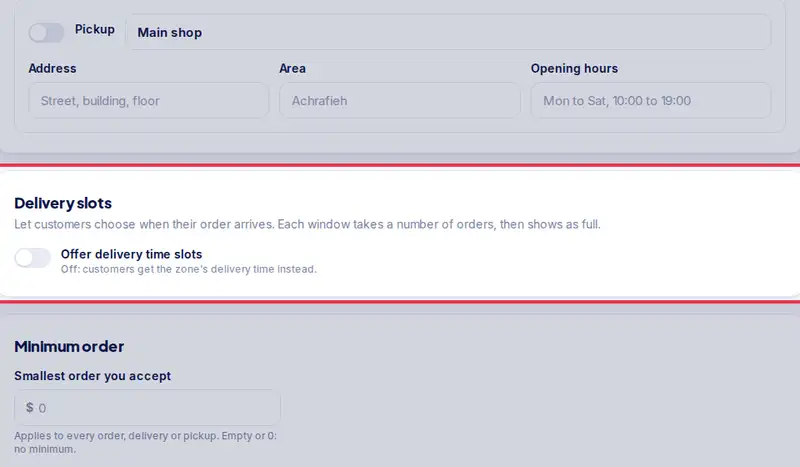
- Step 7: Want customers to choose a time? Turn on Offer delivery time slots and set your windows.
- Step 8: Tap Save delivery settings.