Settings
Get your store on Google and Bing
Let search engines list your store, verify it in Google Search Console and Bing Webmaster Tools, and send them your sitemap.
Open this in your dashboard8 steps · Video
Your store is open to search engines once it is live. These steps tell Google and Bing it exists and let you follow how they read it. They decide when and whether to list each page; a new store often takes from a few days to a few weeks.
Watch the video
What the video says
- In this video, you tell Google your store exists, and find your sitemap and what to fix.
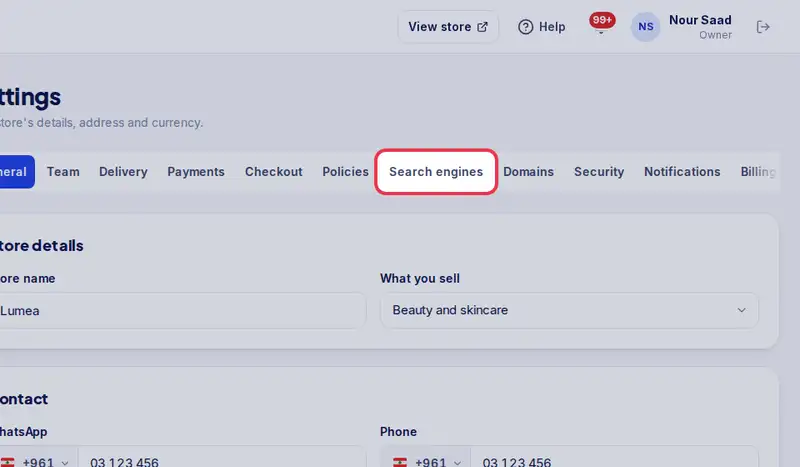
- Open Settings, then the Search engines tab.
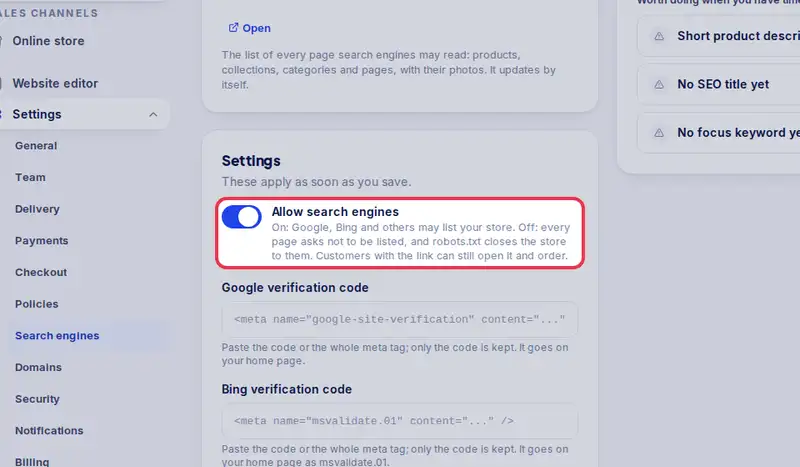
- Check that Allow search engines is on.
- In Google Search Console, copy the HTML tag, and paste it in Google verification code.
- Bing works the same way, with its own code.
- Tap Save, then press Verify in Search Console.
- Copy your sitemap address and submit it under Sitemaps.
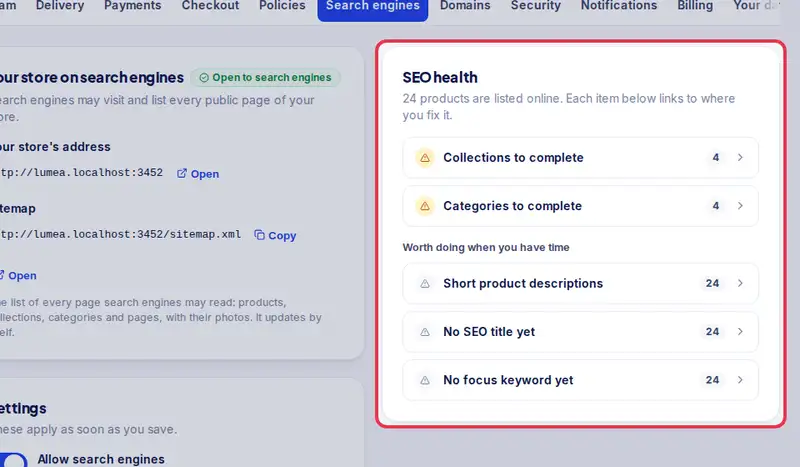
- SEO health lists what to fix. Each line opens the product to fix.
- Google decides when to list each page. A new store often takes a few days to a few weeks.
Step by step
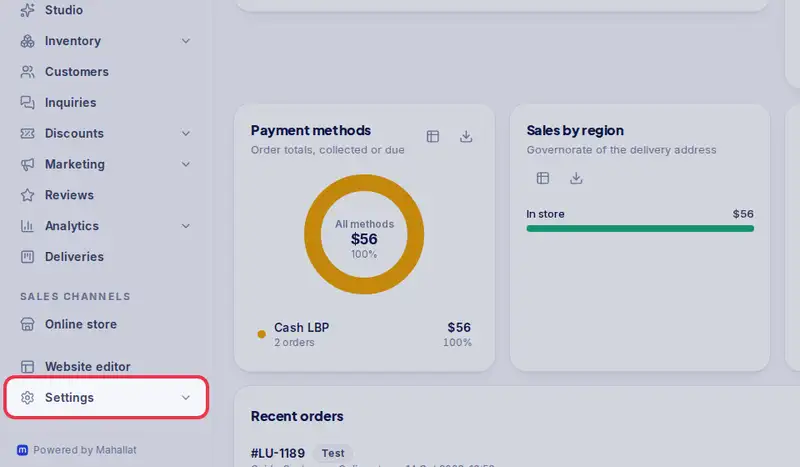
- Step 1: Open Settings.
- Step 2: Tap the Search engines tab.
- Step 3: Check that Allow search engines is on.
- Step 4: In Google Search Console, add your store's address as a URL prefix property, choose the HTML tag method and copy the tag. Paste it in Google verification code.
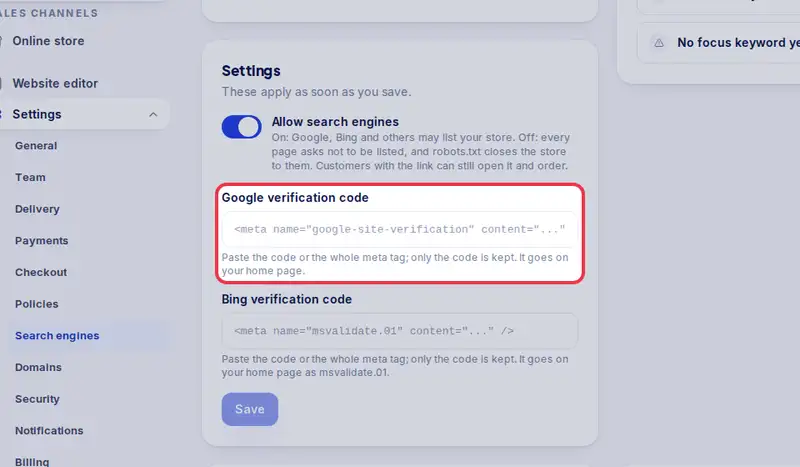
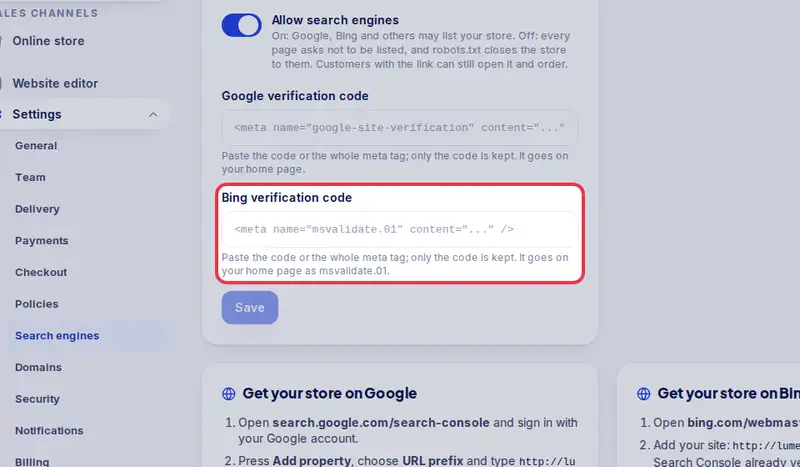
- Step 5: Do the same in Bing Webmaster Tools with the HTML Meta Tag method, and paste it in Bing verification code.
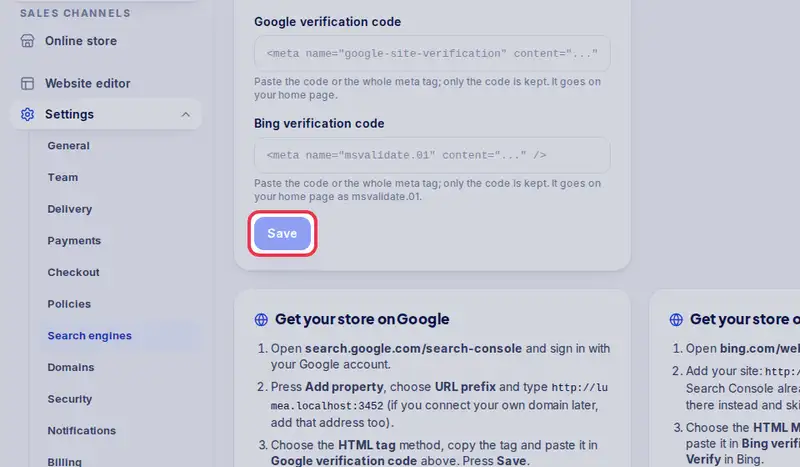
- Step 6: Tap Save, then press Verify in Search Console and in Bing.
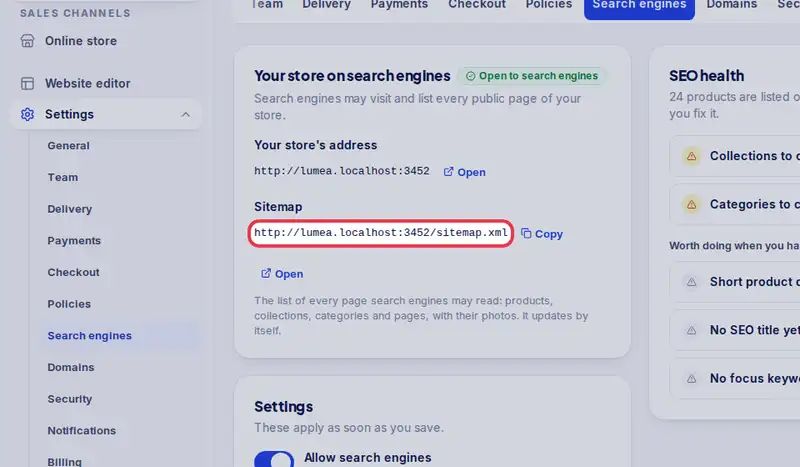
- Step 7: Copy your Sitemap address and submit it under Sitemaps in both tools.
- Step 8: Open SEO health and fix what it lists: each line opens the product, collection or category to fix.