Payments
Choose how customers pay
Turn on cash on delivery, Whish and VAT.
Open this in your dashboard6 steps · Video
Turn on every way you accept money. Customers pick one at checkout.
Watch the video
What the video says
- In this video, you choose how customers pay you: cash on delivery, and Whish with your own number.
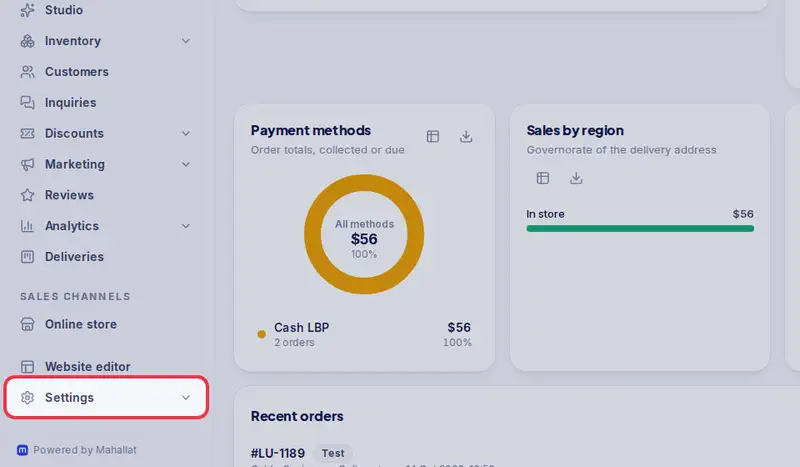
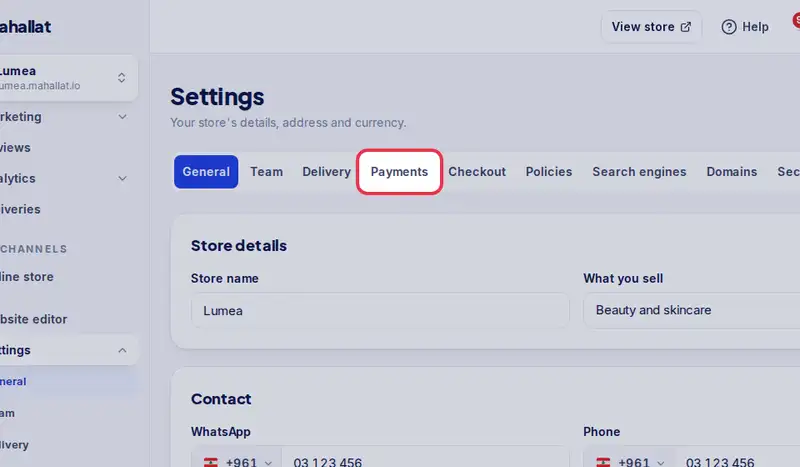
- Open Settings, then the Payments tab.
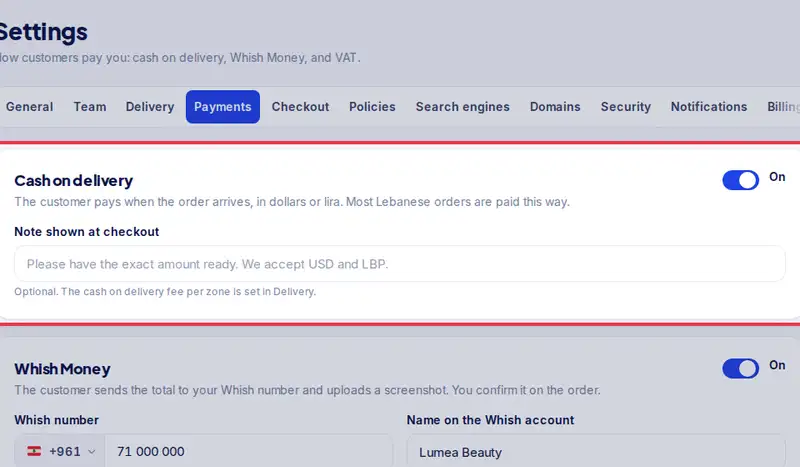
- Cash on delivery is on. Add a note customers see at checkout.
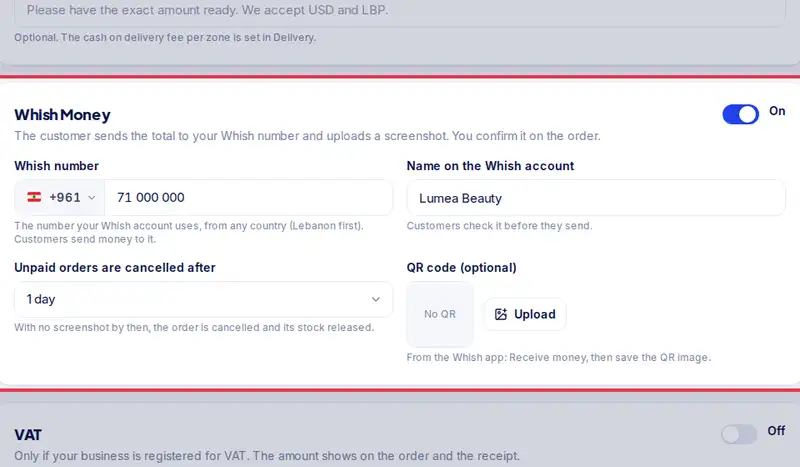
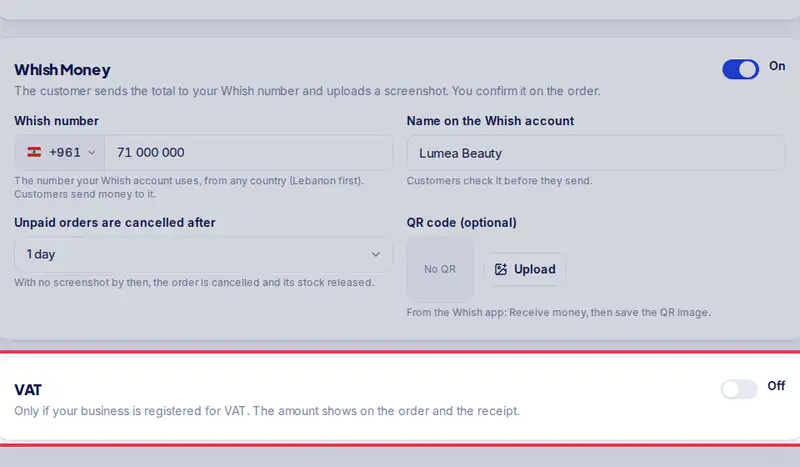
- For Whish Money, turn it on and type the number your Whish account uses.
- Add the name on the account, so customers can check it before they send.
- Customers send the total and upload the screenshot. You confirm it on the order.
- Tap Save payment settings.
- Customers pick one of these at checkout.
Step by step
- Step 1: Open Settings.
- Step 2: Tap the Payments tab.
- Step 3: Cash on delivery: on by default. The customer pays in cash at the door, in dollars or lira. Add a note if you like, for example "Please have the exact amount ready".
- Step 4: Whish Money: turn it on and enter the number your Whish account uses. Customers send the amount and upload the screenshot on their order page.
- Step 5: VAT: only if your business is registered. Set the rate and whether your prices already include it.
- Step 6: Tap Save payment settings.