Customers
Anonymise a customer who asks to be forgotten
Remove a customer's name, phone, email and addresses for good, while their orders and your totals stay.
Open this in your dashboard5 steps · Video
A customer can ask you to delete their details. Anonymising removes who they are, everywhere in your shop, and keeps your books right.
Watch the video
What the video says
- In this video, you remove a customer's details for good, while their orders and your totals stay.
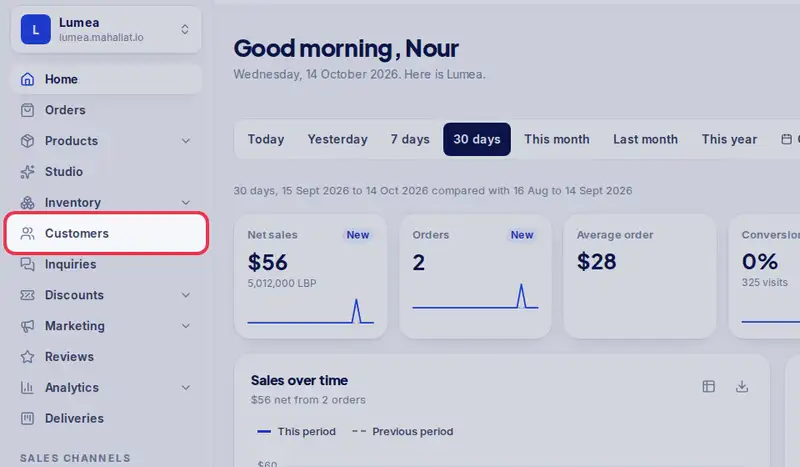
- Open Customers from the menu.
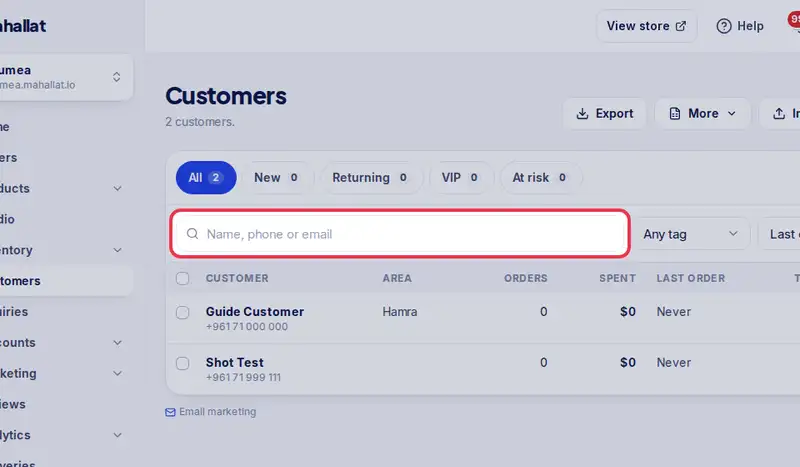
- Search for the customer by name, phone or email.
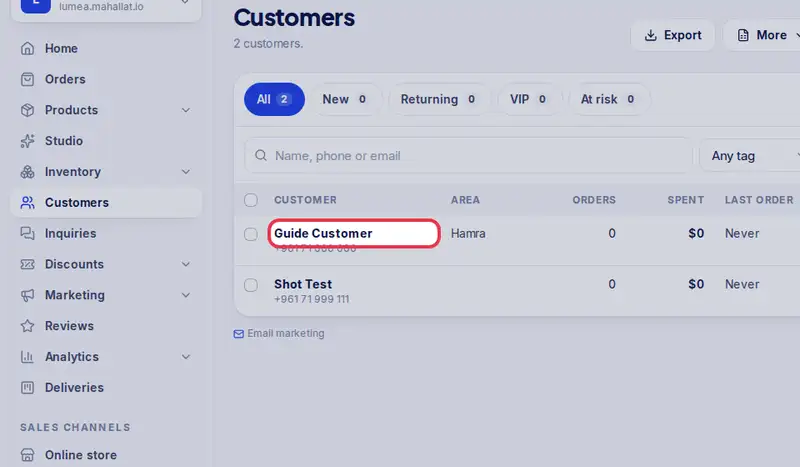
- Tap their name to open their page.
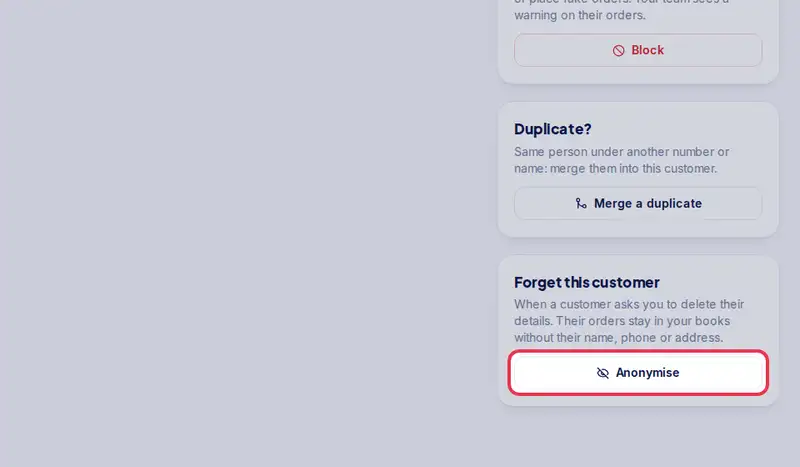
- In the Forget this customer card, tap Anonymise.
- Read what will be removed, then tap Anonymise again. It cannot be undone.
- Their name, phone, email, addresses and notes are gone. Their orders and your totals stay.
Step by step
- Step 1: Open Customers in the menu.
- Step 2: Search for the customer by name, phone or email.
- Step 3: Tap their name to open their page.
- Step 4: Tap Anonymise in the Forget this customer card.
- Step 5: Read what will be removed and tap Anonymise again to confirm.