Customers
Merge a duplicate customer
Join two records of the same person into one, with all their orders.
Open this in your dashboard6 steps · Video
The same person ordered with two phone numbers? Merge them so their orders, notes, addresses and tags live in one place.
Watch the video
What the video says
- In this video, you join two records of the same person into one, with all their orders.
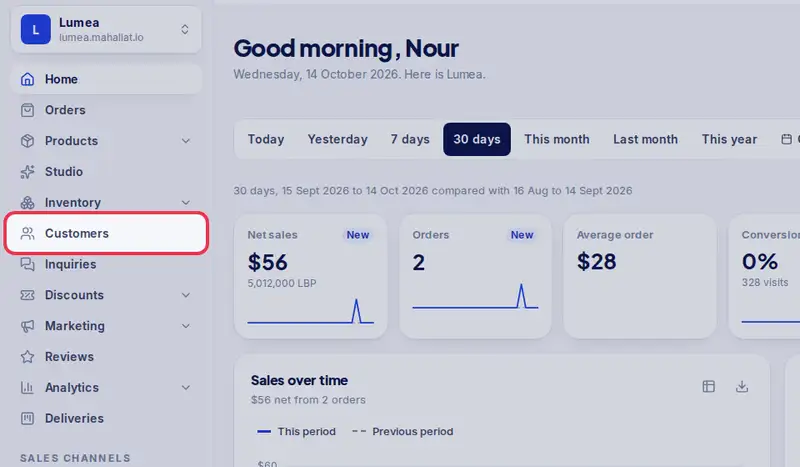
- Open Customers from the menu.
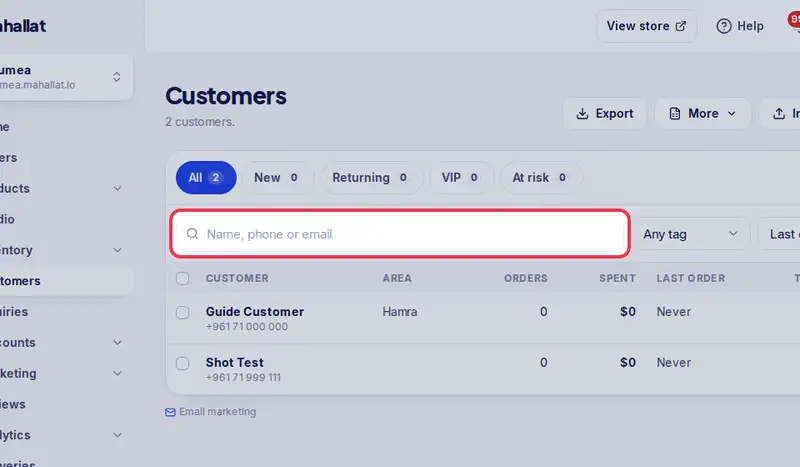
- Search for the customer you want to keep.
- Here she is twice, with two phone numbers.
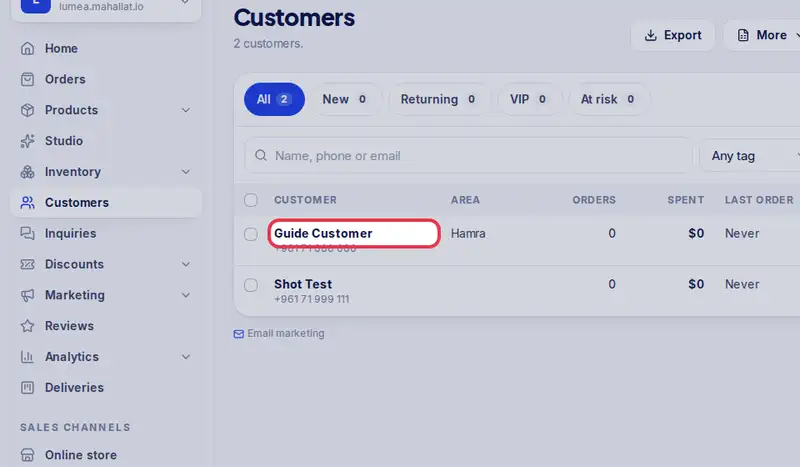
- Tap the one to keep, the one with her orders.
- Tap Merge a duplicate.
- Search for the duplicate and tap it. People with the same first name are suggested.
- Check the summary, then tap Merge into this customer. The duplicate is deleted.
- Her orders, notes, addresses and tags are now in one place.
Step by step
- Step 1: Open Customers in the menu.
- Step 2: Search for the customer you want to keep.
- Step 3: Tap their name to open their page.
- Step 4: Tap Merge a duplicate.

- Step 5: Search for the duplicate by name, phone or email and tap it.
- Step 6: Check the summary and tap Merge into this customer. The duplicate is deleted.