Inventory
Receive a transfer
Confirm what arrived from your other location so it is added to stock here.
Open this in your dashboard5 steps
At the location receiving the boxes, check what arrived. Only what you confirm is added here, and anything short stays on record.
Step by step
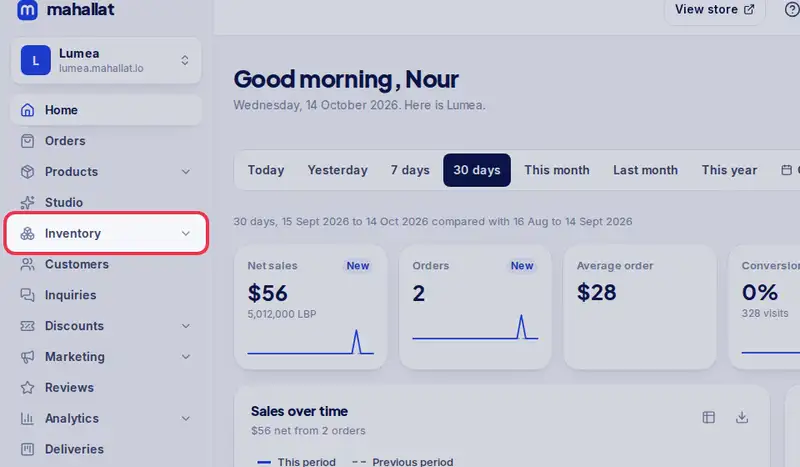
- Step 1: Open Inventory in the menu.
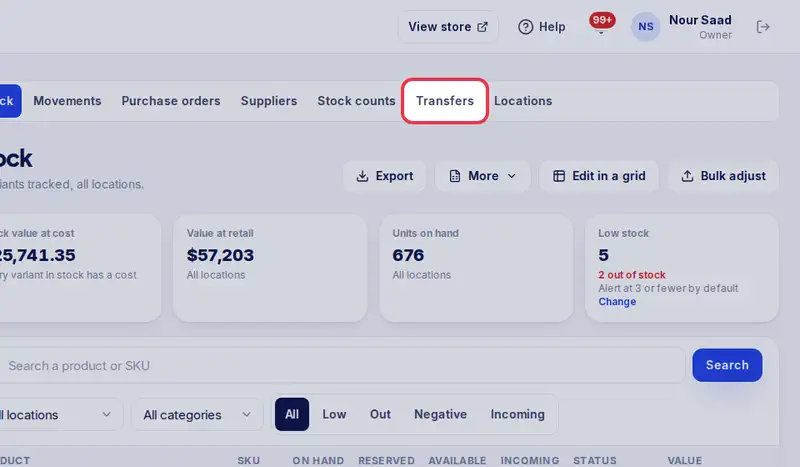
- Step 2: Tap the Transfers tab.
- Step 3: Open the transfer marked as shipped.
- Step 4: As you unpack, tap All here on each line, or set the number that arrived with - and +. Tap All arrived if everything is there.
- Step 5: Tap Confirm received, then Confirm.