Discounts and marketing
Connect your ad pixels
Add your Meta, TikTok and Google Analytics IDs so your ads learn who buys.
Open this in your dashboard5 steps · Video
With a pixel, your store reports visits, add to cart and purchases to your ad account, so your ads find buyers.
Watch the video
What the video says
- In this video, you add your Meta pixel, so your ads learn who visits and who buys.
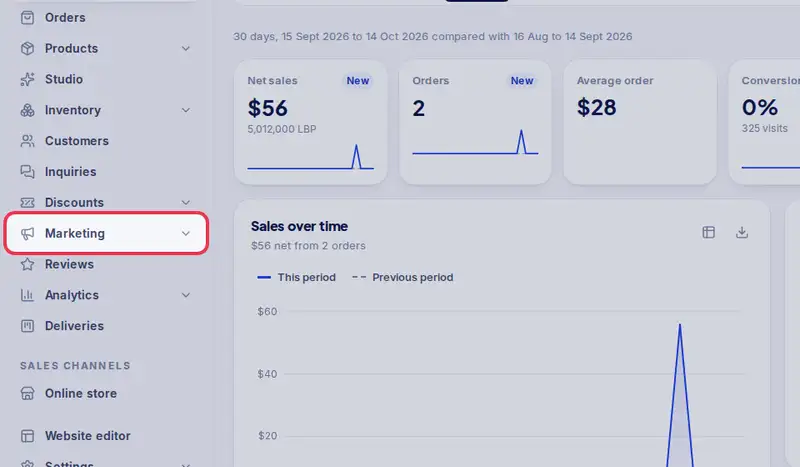
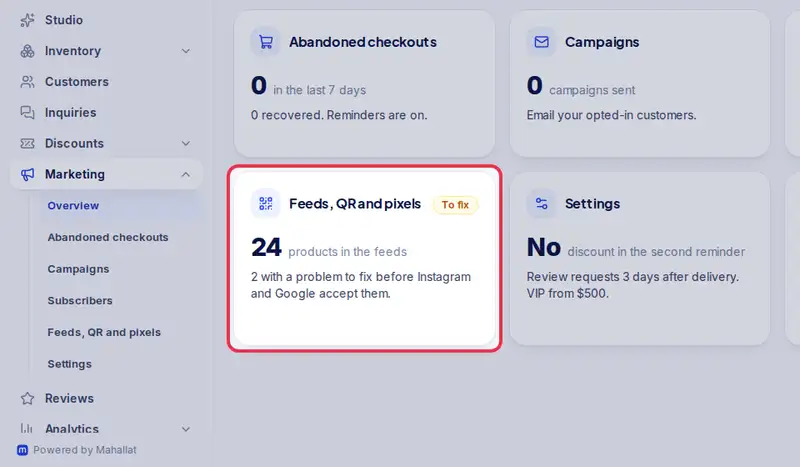
- Open Marketing from the menu, then Feeds, QR and pixels.
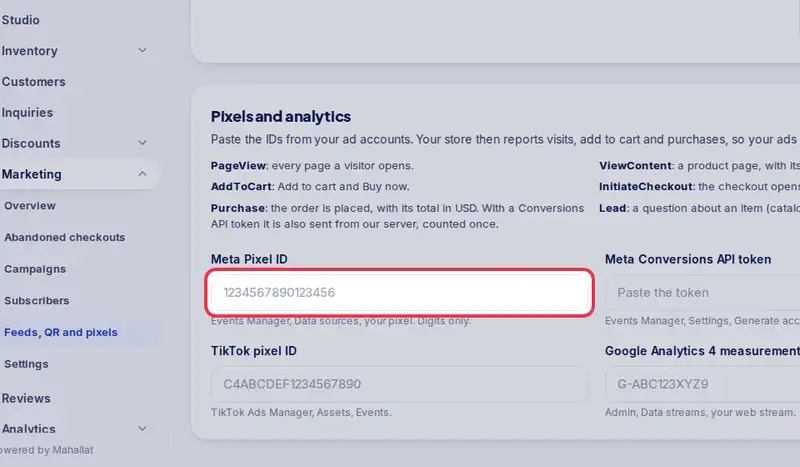
- Go down to Pixels and analytics.
- Paste your Meta Pixel ID. You find it in Meta Events Manager.
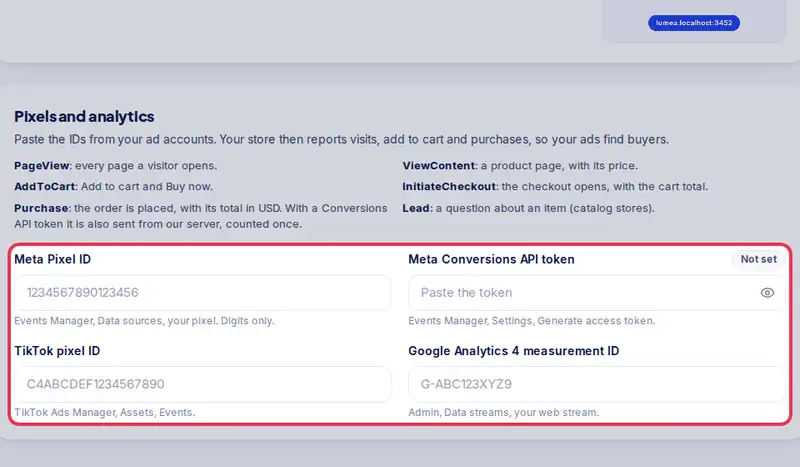
- Add the others you use: the Conversions API token, TikTok, and Google Analytics.
- Tap Save pixels.
- Your store now reports visits, carts and purchases to your ad account.
Step by step
- Step 1: Open Marketing in the menu.
- Step 2: Tap Feeds, QR and pixels.
- Step 3: Under Pixels and analytics, paste your Meta Pixel ID. You find it in Events Manager.
- Step 4: Add the other IDs you use: Meta Conversions API token, TikTok pixel ID, Google Analytics 4 measurement ID.
- Step 5: Tap Save pixels.