Discounts and marketing
Send an email campaign
Build a newsletter with photos, products and a button, test it, then send it.
Open this in your dashboard8 steps · Video
Build the email from blocks: headings, text, images, products and a button. The preview on the right shows what customers will see.
Watch the video
What the video says
- In this video, you build a newsletter with your own words and products, test it, then send it.
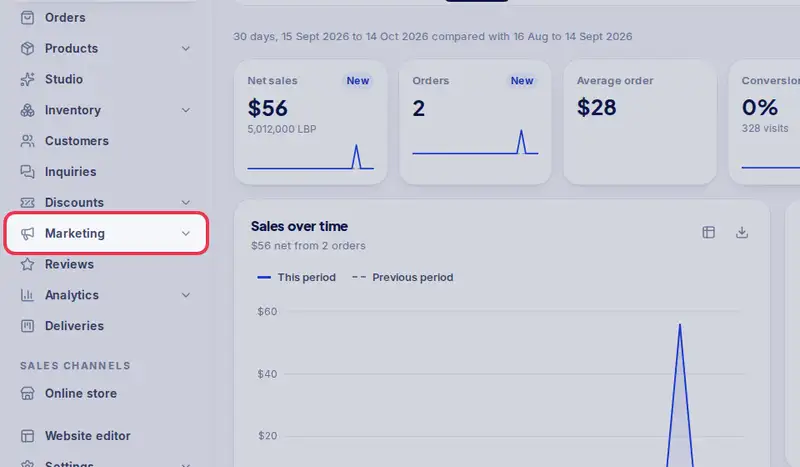
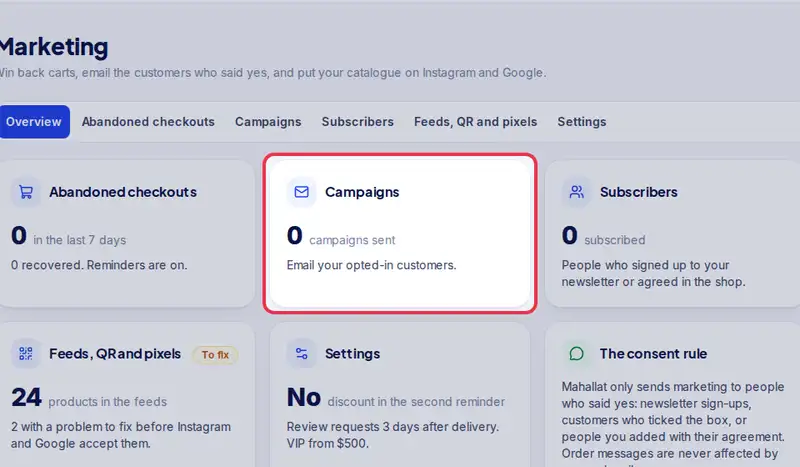
- Open Marketing from the menu, then Campaigns.
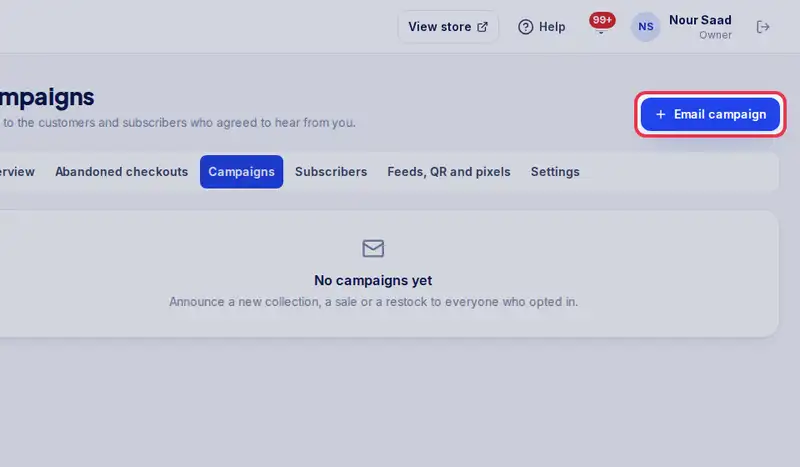
- Tap Email campaign.
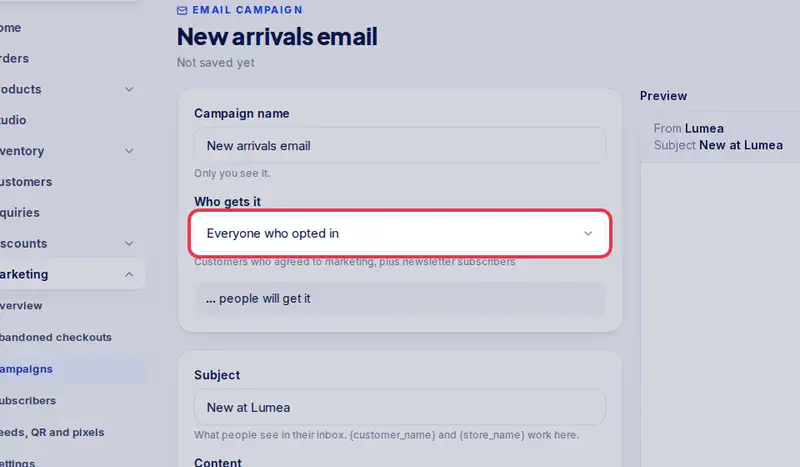
- Under Who gets it, pick the audience. Only people who agreed get it.
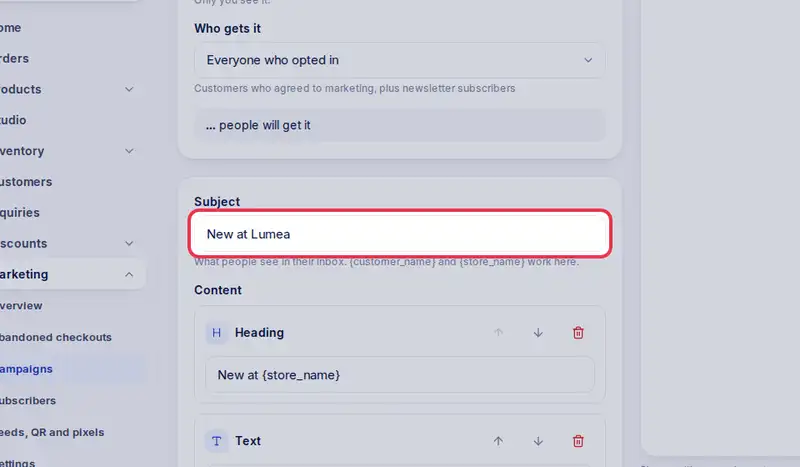
- Write the subject people see in their inbox.
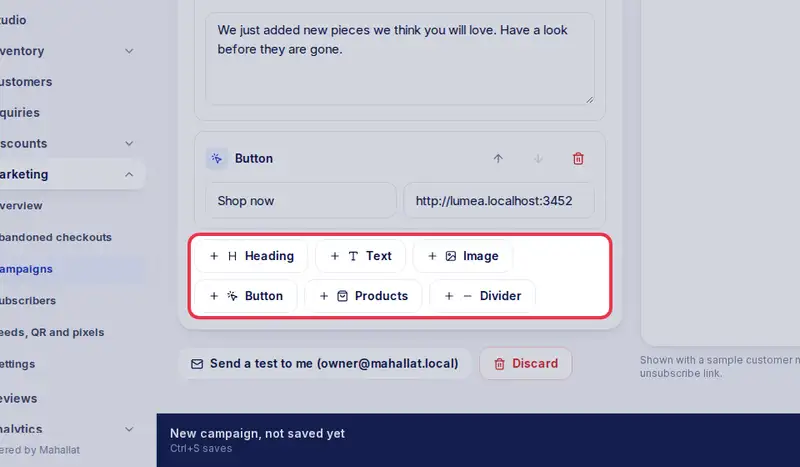
- It starts with a heading, a few words and a button. Change them to your own.
- Add more blocks, here Products, and pick the ones to show.
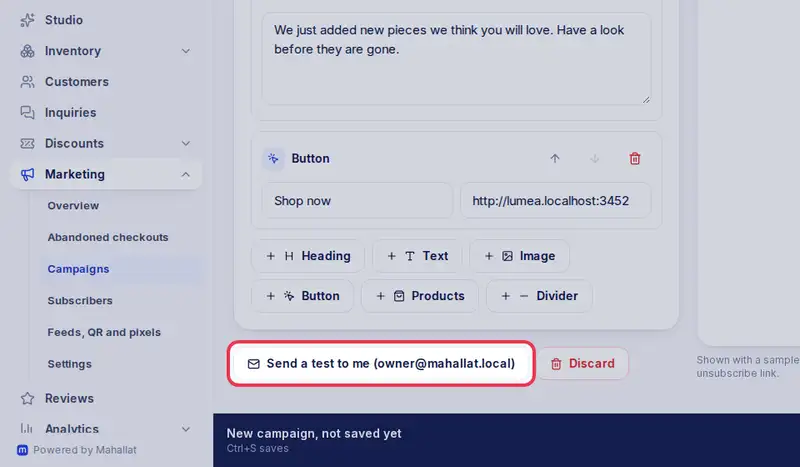
- The preview shows what customers see. Tap Send a test to me to check it on your phone.
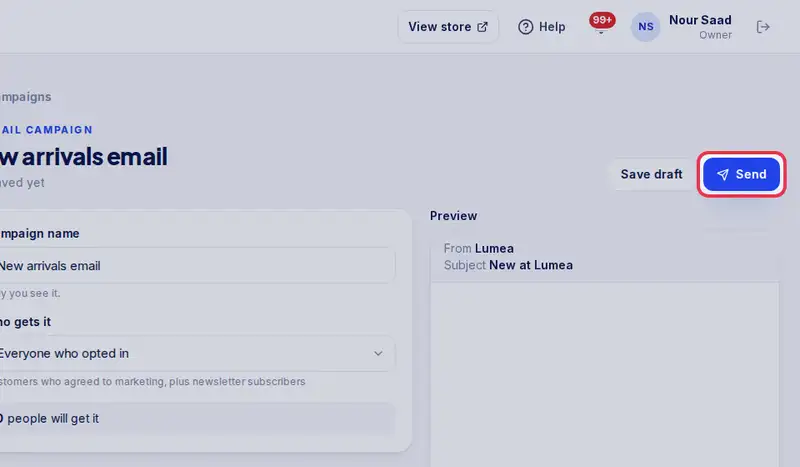
- Then tap Send, check the number of people, and confirm.
- It is on its way. Anyone who unsubscribes before it goes out is skipped.
Step by step
- Step 1: Open Marketing in the menu.
- Step 2: Tap Campaigns.
- Step 3: Tap Email campaign.
- Step 4: Under Who gets it, pick the audience.
- Step 5: Write the Subject people see in their inbox.
- Step 6: Add blocks: Heading, Text, Image, Button, Products or Divider, then fill them in.
- Step 7: Tap Send a test to me and check the email on your phone.
- Step 8: Tap Send, check the number of people, and confirm.