Discounts and marketing
Manage your subscribers
Add people who agreed to hear from you, and download your list.
Open this in your dashboard7 steps · Video
Subscribers come from the newsletter on your store, the checkout, or people you add yourself after they agreed in the shop or on the phone.
Watch the video
What the video says
- In this video, you add someone who agreed to hear from you, then download your list.
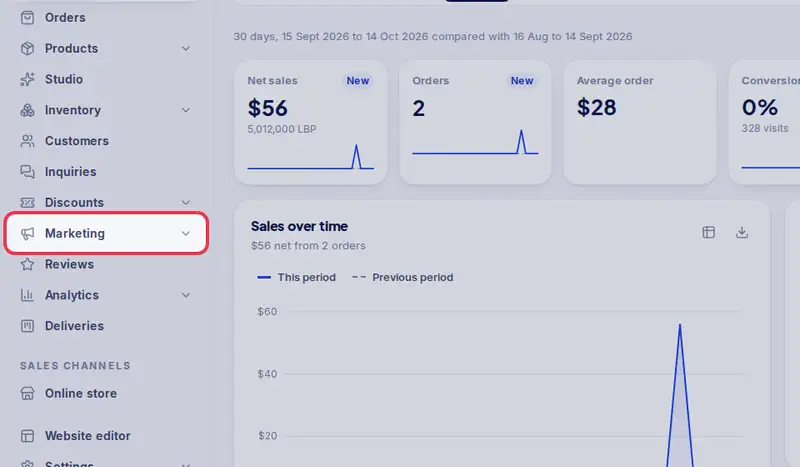
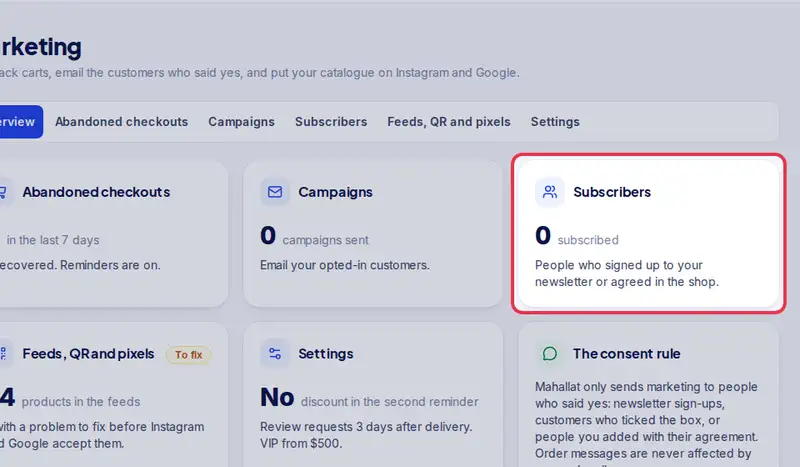
- Open Marketing from the menu, then Subscribers.
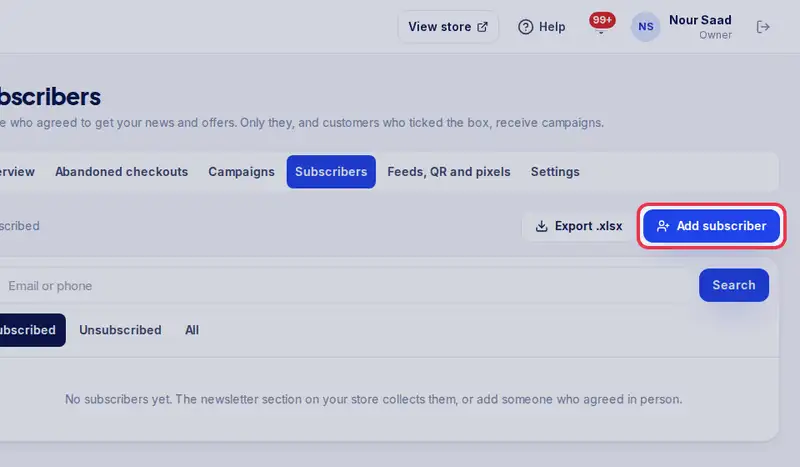
- Tap Add subscriber.
- Type their email.
- Tick the box confirming they agreed. Without it, nobody can be added.
- Tap Add.
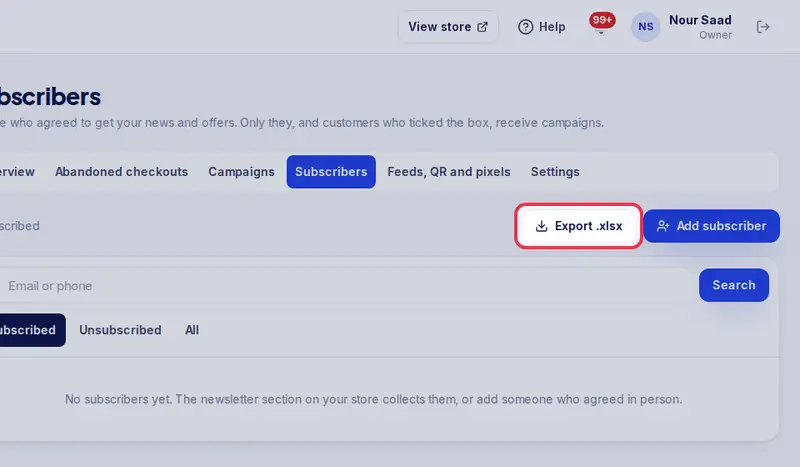
- Tap Export to download your whole list as a spreadsheet.
- Only add people who really said yes. Emailing anyone else is spam.
Step by step
- Step 1: Open Marketing in the menu.
- Step 2: Tap Subscribers.
- Step 3: Tap Add subscriber.
- Step 4: Type their Email.
- Step 5: Tick the box confirming they agreed. Without it, nobody can be added.
- Step 6: Tap Add.
- Step 7: Tap Export .xlsx to download your list.