Discounts and marketing
Schedule a sale on a collection
Lower prices on whole collections between two dates, like a weekend or Eid sale.
Open this in your dashboard8 steps · Video
At the start, prices drop by your percent and the old price shows crossed out on your store. At the end they go back on their own.
Watch the video
What the video says
- In this video, you schedule a sale that lowers prices on a collection between two dates, then puts them back.
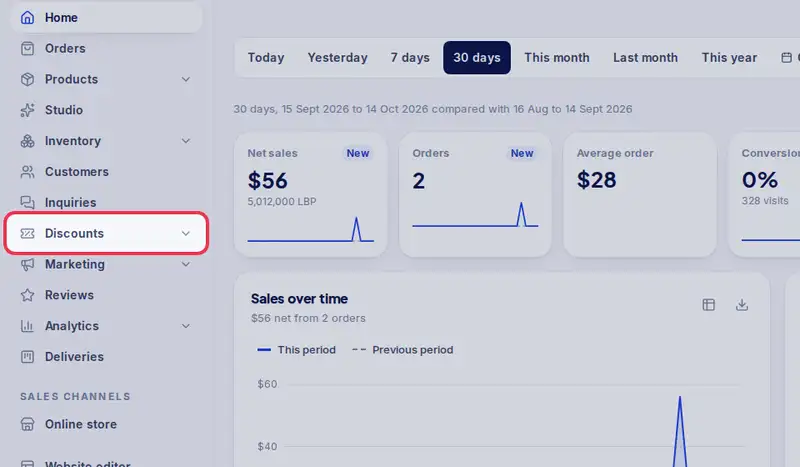
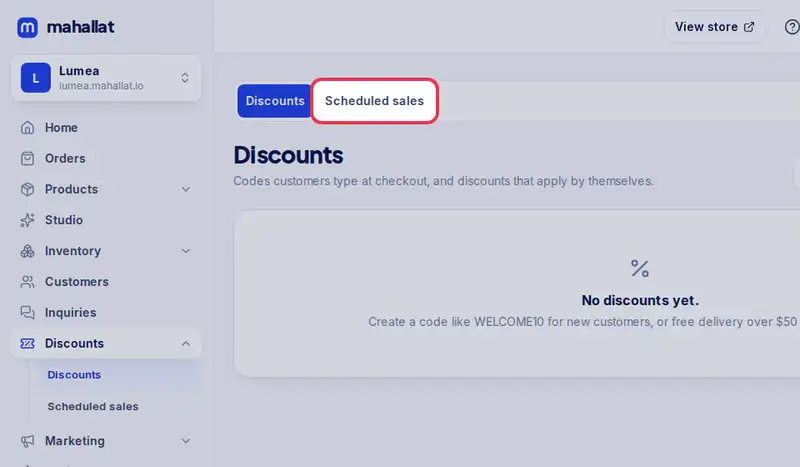
- In Discounts, tap the Scheduled sales tab.
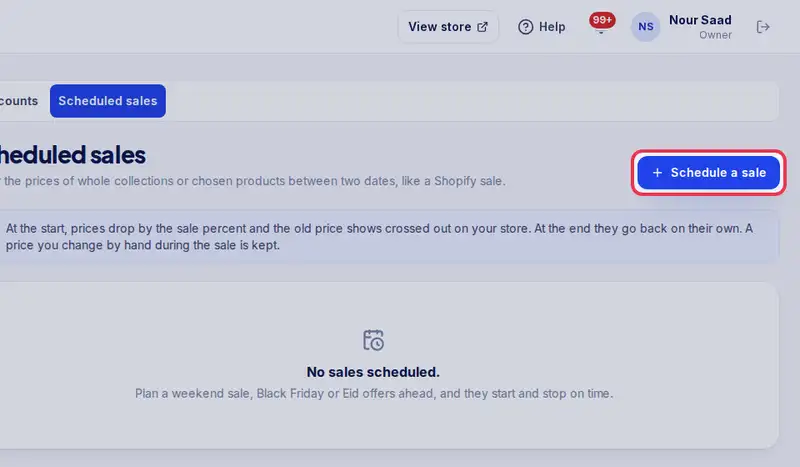
- Tap Schedule a sale.
- Give it a name, like Weekend sale.
- Enter the percent off, here twenty.
- Pick the collections on sale.
- Set when it starts and when it ends, in Beirut time.
- Leave the countdown on to show customers the time left.
- Tap Schedule sale.
- At the start, prices drop and the old price shows crossed out. At the end, they go back on their own.
Step by step
- Step 1: Open Discounts in the menu.
- Step 2: Tap the Scheduled sales tab.
- Step 3: Tap Schedule a sale.
- Step 4: Give it a Name, like Weekend sale.
- Step 5: Enter the Percent off.
- Step 6: Pick the Collections on sale. You can add single products under Products.
- Step 7: Set when it Starts and Ends, in Beirut time.
- Step 8: Tap Schedule sale.