Orders and delivery
Refund an order
Record money you give back on an order, all of it or part, and put the returned items back in stock.
Open this in your dashboard8 steps · Video
A refund records money you give back on an order that was paid, in full or in part. It can also put the returned items back in stock. Only an owner or an admin can refund.
Watch the video
What the video says
- In this video, you record money you give back on a paid order, and put the item back in stock.
- On a paid order, tap More actions, then Refund.
- Under Items coming back, set how many the customer gives back.
- Check the amount. Type a smaller one for a partial refund.
- Under Refund by, pick how you pay it back, for example Cash.
- Leave Put the returned items back in stock on, add a reason, and tap Refund.
- Recording a refund does not send money: give it back yourself. The order shows a Refunded line.
Step by step
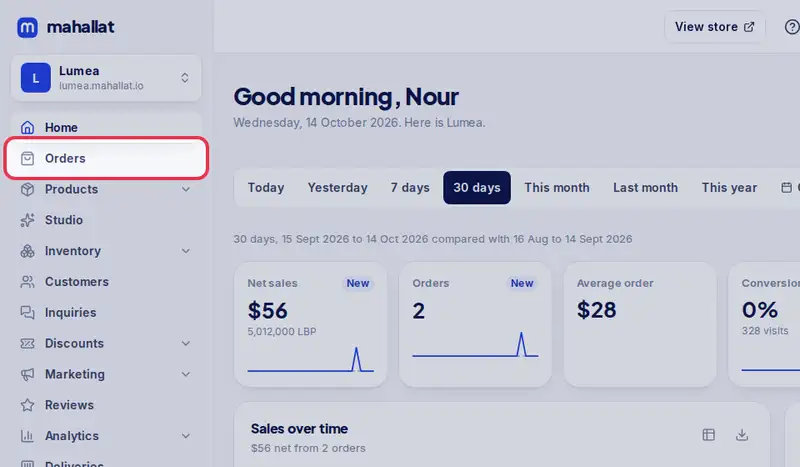
- Step 1: Open Orders in the menu.
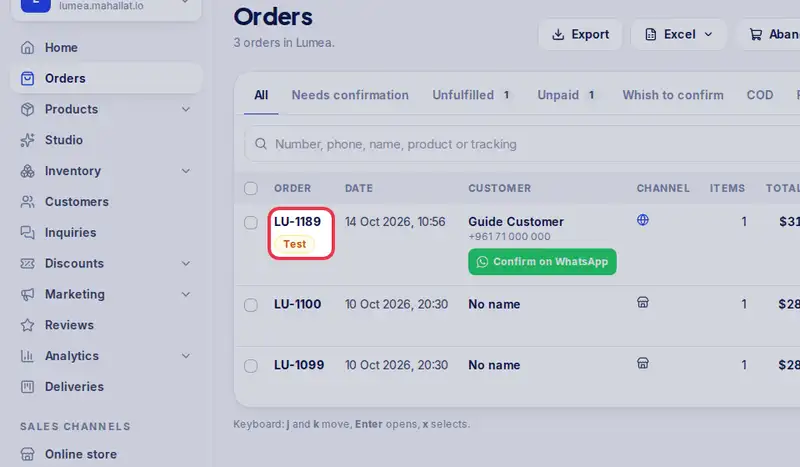
- Step 2: Tap the order number to open it.
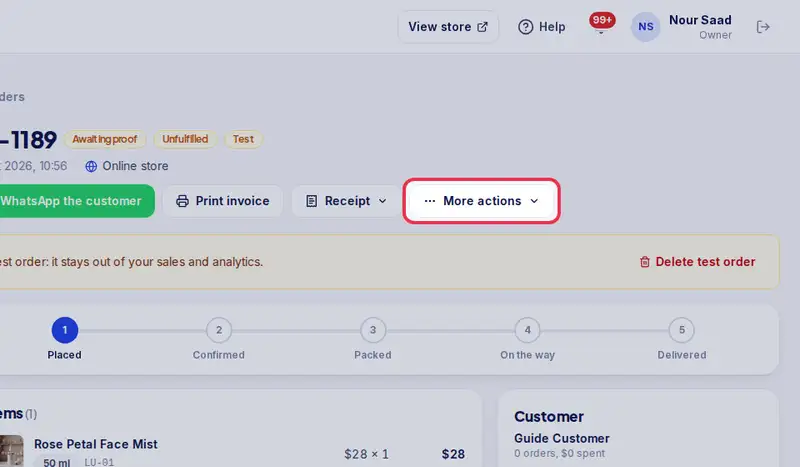
- Step 3: Tap More actions, then Refund. It is greyed out with "Nothing was paid yet" until the order has a payment.
- Step 4: Under Items coming back (optional), set how many of each item the customer gives back with the - and + buttons.
- Step 5: Check Amount to refund. It starts at everything that was paid; type a smaller amount for a partial refund. The line at the top says how much can still be refunded.
- Step 6: Under Refund by, pick how you pay it back: Cash, Whish, Store credit or Other.
- Step 7: Leave Put the returned items back in stock on when the items can be sold again, or turn it off for damaged items. Items that were never packed only free up their hold.
- Step 8: Type a Reason if you like, then tap Refund (the button shows the amount, for example Refund $25).